Let’s be blunt: if you are still manually moving data between apps, writing every follow-up email from scratch, or sitting through meetings only to spend another hour writing up notes, you are working harder than you need to. Not because you lack effort, but because a growing category of AI tools for business automation now handles all of it without you.
According to McKinsey’s 2024 State of AI report, knowledge workers spend up to 40% of their workweek on tasks that are automatable with technology available today. For a five-person team, that is more than 800 hours a year spent on work that software can do faster, more accurately, and without breaks.
This guide covers the 10 best AI workflow automation tools in use right now — who they are built for, what they actually replace, and what kind of time savings businesses are realistically seeing. No hype, no vague promises. Just tools that work.
Why Business Automation Has Become a Baseline Expectation
Three years ago, AI workflow automation was a differentiator. In 2026, it is closer to a baseline expectation—the way having a website was once optional, then essential. The businesses that have not automated at least some of their core operations are not just slower; they carry structurally higher costs per output than their competitors.
What has shifted is accessibility. The best AI automation platforms for business no longer require engineering teams, long implementation timelines, or six-figure software budgets. Most connect to the tools you already use—your CRM, your email platform, your project management boards—and start returning value within days, not months.
The question for most business owners today is not whether to automate, but where to start. The 10 tools below represent the most practical, highest-ROI entry points across the most common operational pain points.
The 10 Best AI Tools for Business Automation (2026)
1. Zapier — The Connective Tissue of Your Tech Stack
If you only adopt one tool from this list, make it Zapier. With native connections to over 7,000 apps, Zapier lets you build automated sequences—called Zaps—that fire one action whenever another happens, across entirely separate platforms. No code required, no developer needed.
Common workflows businesses automate on day one:
- New contact form submission automatically creates a CRM record and sends a personalized welcome email
- Closed deals in Salesforce trigger a Slack alert to the finance team and generate a kickoff task in Asana
- Inbound support emails are parsed, categorized, and routed to the right team member without anyone touching a queue
- New e-commerce orders sync to fulfillment, accounting, and inventory tools simultaneously
2. Make — Visual Automation for Complex, Multi-Step Processes
Make (formerly Integromat) is the power-user alterna.os with conditional logic, data transformation, error handling, and direct API connections—the kind of workflows that simpler platforms cannot support.
Where Make outperforms simpler tools:
- Parsing inbound emails to extract structured data and populate spreadsheets or databases automatically
- Building AI integration platforms for customer care workflows that route, triage, and escalate based on real logic
- Automating NOC (network operations center) workflows and compliance monitoring across multiple systems
- Running AI platforms for e-commerce content workflows — pulling product data, generating descriptions, pushing live
3. HubSpot with AI — Full-Funnel Sales and Marketing Automation
HubSpot has grown well beyond its CRM roots. Its AI-powered features now manage lead scoring, behavior-triggered email sequences, revenue forecasting, deal pipeline monitoring, and AI-powered relationship intelligence for deal workflow optimization — all from a single platform with deep native integrations.
What HubSpot automates for sales and marketing teams:
- Lead scoring based on engagement behavior, firmographic data, and historical conversion patterns
- Personalized nurture sequences are triggered the moment a prospect visits a high-intent page, like pricing or case studies
- AI-powered sales workflow with HubSpot integration that surfaces which deals need attention before they go cold
- Automatic logging of calls, emails, and meetings to the correct contact record with zero manual input
4. Claude and ChatGPT — AI Decision Support and Content Operations
Large language models have moved far beyond content generation. In 2026, businesses use them as internal research engines, contract reviewers, SOP generators, data analysts, and client communication drafters. The businesses getting the most value are the ones that have stopped using these tools generically and started building structured workflows around them.
At Exotica AI Solutions, we have helped clients reduce proposal writing time by over 60% by building custom AI assistants trained on their own service descriptions, pricing logic, and brand voice. The output is not generic — it is calibrated.
High-value use cases for business owners:
- Summarizing lengthy contracts, analyst reports, or regulatory documents in under two minutes
- Generating structured first drafts of client-facing proposals, SOPs, and onboarding materials
- Running qualitative analysis on uploaded customer feedback, survey data, or support transcripts
- Answering internal team questions by referencing your uploaded company knowledge base in real time
5. Notion AI — A Knowledge Base That Thinks With You
Notion has always been strong as an organizational tool. With Notion AI integrated, it becomes an active productivity layer — one that surfaces relevant information, generates content from rough notes, and helps teams move from idea to execution without the usual friction of documentation.
- Converts raw meeting notes into structured action items with owners and deadlines automatically
- Generates job descriptions, project briefs, and onboarding guides from bullet-point inputs
- Answers natural-language questions about your company’s entire knowledge base—no folder-diving required
- Adapts tone and translates content for different audiences without losing the original meaning
6. Otter.ai — Eliminate Post-Meeting Admin for Good
Every hour-long meeting produces a hidden cost: 20 to 30 minutes of follow-up work. Writing up notes. Extracting action items. Updating trackers. Sharing summaries. Otter.ai eliminates almost all of it by joining your calls, transcribing in real time, and producing structured summaries the moment the meeting ends.
- Real-time transcription across Zoom, Microsoft Teams, and Google Meet with speaker identification
- AI-generated summary with action items, decisions, and key discussion points — available within minutes
- Direct integrations push meeting outputs to Notion, Salesforce, Slack, and HubSpot automatically
- Fully searchable archive of every conversation your organization has ever had on record
7. Tidio — 24/7 Customer Support Without 24/7 Staffing
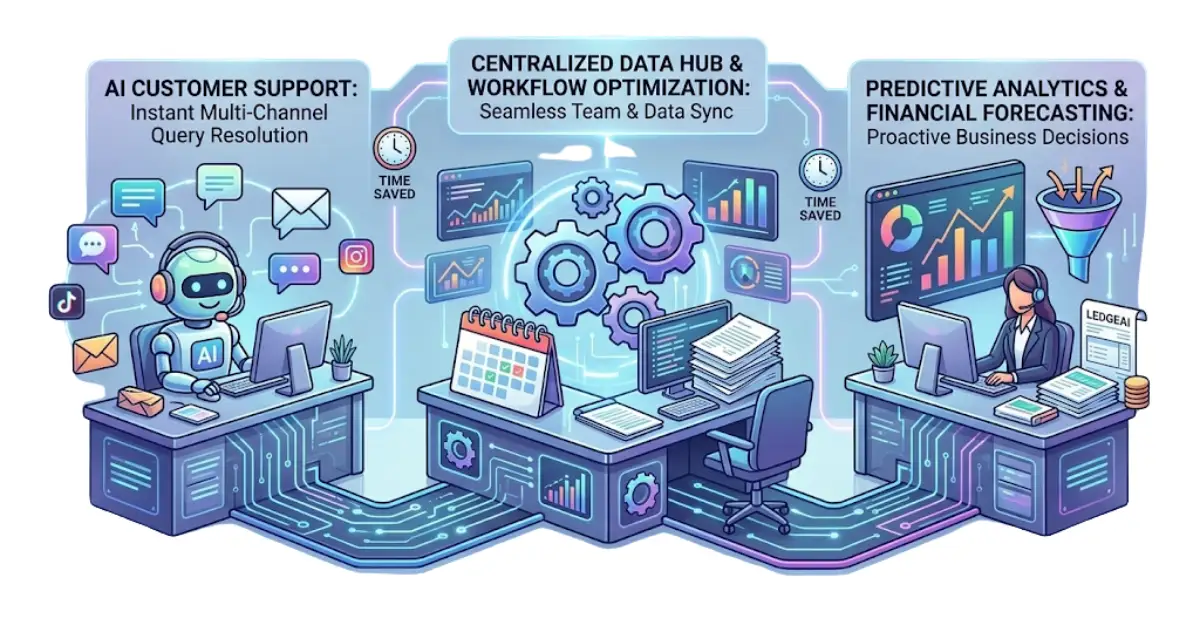
Tidio’s AI agent, Lyro, handles customer inquiries around the clock across chat, email, and social channels. For e-commerce businesses in particular, it resolves the majority of common queries—order status, returns, product questions, and shipping timelines—without any human involvement at all.
What makes Tidio effective as one of the best AI tools for small business customer operations is its escalation model: routine queries are resolved automatically, while complex or sensitive issues are handed to a human agent with full conversation context already preserved.
- Resolves up to 70% of inbound support queries without agent involvement (Tidio internal data, 2025)
- Native integration with Shopify, WooCommerce, BigCommerce, and Magento out of the box
- Qualifies inbound leads through conversational sequences before routing to sales
- Reduces first-response time from hours to seconds on every supported channel
8. Jasper AI — High-Volume Marketing Content Without the Bottleneck
Marketing teams are under constant pressure to produce more — more ads, more emails, more social content, more blog posts — while maintaining brand consistency across every channel. Jasper is purpose-built for this problem. It is trained on high-performing marketing copy and supports structured brand voice profiles that keep output consistent regardless of who is using it.
- Generate 30 platform-specific social captions from a single product brief in under five minutes
- Write multiple A/B test headline variations for paid ads in seconds, ready for split testing
- Produce SEO-structured blog outlines calibrated to a target keyword cluster and search intent
- Maintain consistent brand voice across team members, freelancers, and time zones
9. Fireflies.ai — Conversation Intelligence That Closes More Deals
Fireflies.ai is designed specifically for revenue teams. It records and transcribes sales calls, then uses AI to surface coaching insights, flag competitor mentions, track objection patterns, and push all of it directly into your CRM. The result is a feedback loop that improves rep performance without requiring managers to manually review hours of recordings.
- Automatically syncs meeting summaries and action items to HubSpot or Salesforce after every call
- Flags competitor mentions and common objections across your entire team’s call library
- Analyzes talk-to-listen ratios and identifies patterns in calls that convert versus calls that do not
- Reduces post-call admin by up to 80% — no more manual CRM updates after sales conversations
10. QuickBooks with AI — Financial Operations on Autopilot
Financial administration is one of the highest-cost, lowest-leverage activities in most small businesses. QuickBooks’ AI features handle the repetitive mechanics of bookkeeping automatically — so business owners spend less time reconciling transactions and more time understanding what their numbers actually mean.
- Automatically categorizes bank transactions using machine learning trained on your specific history
- Sends payment reminders at optimized intervals based on each client’s behavior and payment patterns
- Generates short-term cash flow forecasts from historical data and current outstanding invoices
- Flags duplicate entries and unusual transactions before they become reconciliation problems
How to Build Your Automation Stack Without Wasting Money
The most common mistake is trying to deploy multiple tools at once. The result is a fragmented stack that nobody uses consistently and that costs more to manage than it saves. A more effective approach is sequential—one workflow at a time, with clear measurement before adding anything new.
A practical four-step process:
-
- Identify your single most painful recurring task — the one that eats your time or your team’s time every week without producing real value.
-
- Choose the tool from this list that eliminates 80% of that task and configure it properly before me
-
- Run it for 30 days and calculate actual time savings. If the ROI is clear, expand the workflow. If not, adjust
-
- Use an AI workflow automation platform like Zapier or Make to connect your tools and close the gaps between them.
The businesses seeing the highest return from AI automation tools in 2026 are not the ones with the largest stacks. They are the ones with the smallest number of well-configured workflows. Start with one. Prove the value. Then build.
Frequently Asked Questions
These questions reflect real searches from business owners evaluating AI automation tools for their organizations.
The Bottom Line
Every hour your business spends on work that a well-configured AI tool could handle is an hour not being spent on decisions, client relationships, and growth that only you can drive. The ten tools in this guide represent the most accessible, highest-ROI entry points into business workflow automation available in 2026.
You do not need all ten. You need the one that solves your most expensive problem today. Start there. Measure the results. Then build deliberately from a foundation that already works.
The businesses that will look back on 2026 as the year they pulled ahead of their competition will not necessarily be the ones with the biggest budgets. They will be the ones who made the smartest decisions with the tools that were already available—and acted on them quickly.

Mohit Thakur is an experienced Digital Marketing Expert, SEO Team Leader, and Content Writer with over 6 years of expertise in search engine optimization, content strategy, and digital growth. He specializes in research-driven SEO and crafting high-quality, compelling content that helps businesses improve their online visibility, organic traffic, and lead generation.
With hands-on experience across multiple industries, Mohit focuses on creating user-focused, well-researched content aligned with the latest Google algorithms and AI search trends. His approach combines technical SEO, content writing, content optimization, and data analysis to deliver consistent and measurable results.